Table of Contents
- Assess the Damage Before You Do Anything Else
- Risks of Using a Cracked Phone Screen
- Temporary DIY Fixes for a Cracked Phone Screen
- DIY Phone Screen Repair Kits: What to Expect
- Cost of Professional Screen Replacement
- Repair vs. Replace: Trade-In Value and Environmental Impact
- Protect Your Screen After Fixing a Cracked Phone
- Frequently Asked Questions
Last Updated: August 28, 2026
A cracked phone screen is one of the most common device disasters people face. The first decision you make after the drop matters most. This guide walks you through assessing the damage, understanding your risks, weighing DIY versus professional repair options, and protecting your device after the fix.
Before you do anything else: stop using the phone without protection, and don’t assume a crack is just cosmetic.
Assess the Damage Before You Do Anything Else
Cracked phone screen damage falls into two very different categories, and treating them the same way is the most common mistake people make. A hairline scratch on the outer glass is cosmetic. A shattered display with touch sensitivity problems or pixel discoloration is a hardware failure that gets worse with every hour of use.
Cosmetic Cracks vs. LCD Assembly Failure
A cosmetic crack affects only the outer glass layer. The display shows full color, touch response is normal, and there are no dark spots or bleeding pixels.
LCD assembly failure shows different symptoms:
- Dark patches or ink-like bleed spreading from the crack
- Lines of pixel discoloration running across the display
- Ghost touching, where the screen registers inputs you didn’t make
- Complete loss of touch response in certain zones
- Backlight flickering or a black screen with sound still working
If you see any of those symptoms, the LCD assembly or digitizer has been compromised. A temporary fix won’t hold. You need a full screen replacement, and continuing to use the device risks damaging the ribbon cable connections and the underlying logic board.
Back Up Your Data First
Before any repair, back up your data. Screen replacements, even professional ones, carry a small risk of data loss if something goes wrong during disassembly. If your touch response is still partially working, use iCloud, Google One, or a direct cable backup to your computer immediately.
According to FCC consumer guidance on device data protection, backing up your device before any hardware service is a fundamental step most consumers skip until it’s too late.
Risks of Using a Cracked Phone Screen
The risks of using a cracked phone screen go well beyond aesthetics. Most people underestimate how quickly a manageable crack becomes a serious problem.
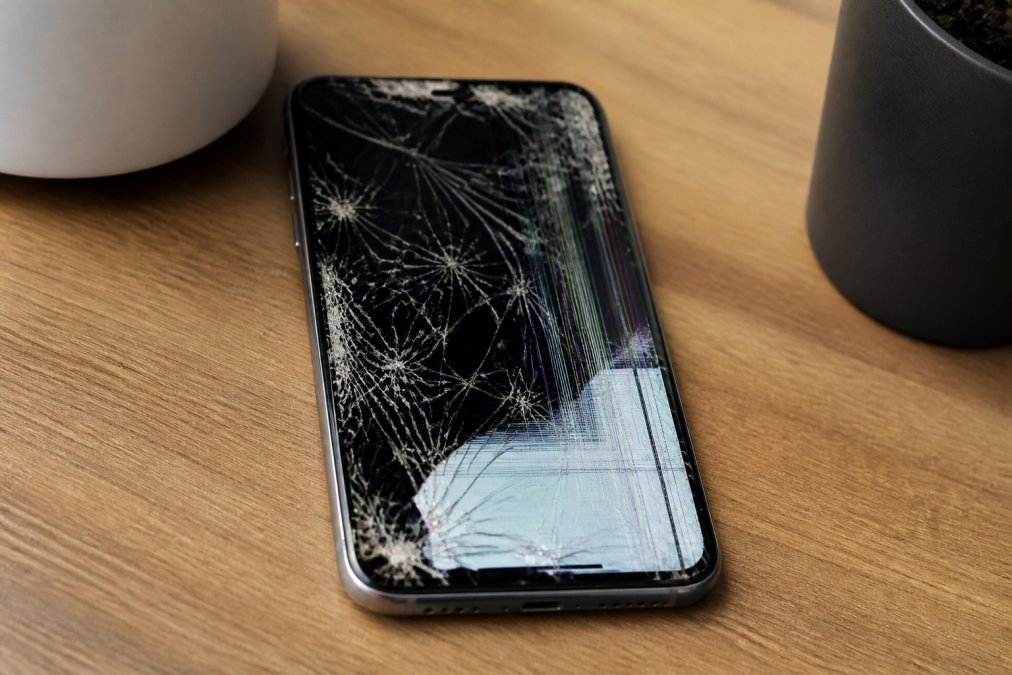
Glass Shard Safety Hazards
Shattered glass on a phone screen is a genuine physical hazard. Micro-cracks spread with heat, pressure, and repeated flexing, and small glass fragments can detach and embed in fingertips during normal scrolling. This is especially concerning for children who handle devices roughly.
A cracked screen also loses its structural integrity. The bezel damage that often accompanies a drop weakens the frame that holds the glass in place, meaning subsequent drops are far more destructive than the original impact.
Touch Sensitivity and Ghost Touching Problems
A damaged digitizer translates your finger’s position into on-screen input. When the digitizer is cracked or partially separated from the LCD assembly, you get ghost touching, missed inputs, or zones of the screen that stop responding.
Ghost touching is particularly disruptive. The phone registers phantom taps, opens apps on its own, or sends partial messages. Many users mistake this for a software problem and waste time factory-resetting the device, when the actual cause is physical hardware failure in the digitizer layer.
Touch sensitivity calibration cannot resolve this through software when the underlying hardware is damaged. The fix is physical: replace the screen assembly.
Temporary DIY Fixes for a Cracked Phone Screen
Temporary fixes for a cracked phone screen won’t restore the display, but they can prevent the damage from spreading while you arrange a proper repair.
Clear packing tape or screen protector overlay: Applying a tempered glass screen protector over a cracked screen holds the glass fragments together and prevents further splintering. It also reduces the risk of glass shard injuries.
Liquid adhesive (for small cracks): Specialty UV-curing liquid adhesive products are designed to fill micro-cracks in glass. They work by wicking into the crack via capillary action and then curing under UV light to create optical clarity.
Screen protector as a bridge: A thick tempered glass protector applied carefully over a shattered screen can buy days or weeks of usable life. It won’t restore touch sensitivity in dead zones, but it keeps glass contained and protects your fingers.
None of these fixes address underlying LCD assembly damage, ribbon cable stress, or digitizer failure. If your screen has pixel discoloration or ghost touching, move directly to a professional diagnostic.
DIY Phone Screen Repair Kits: What to Expect
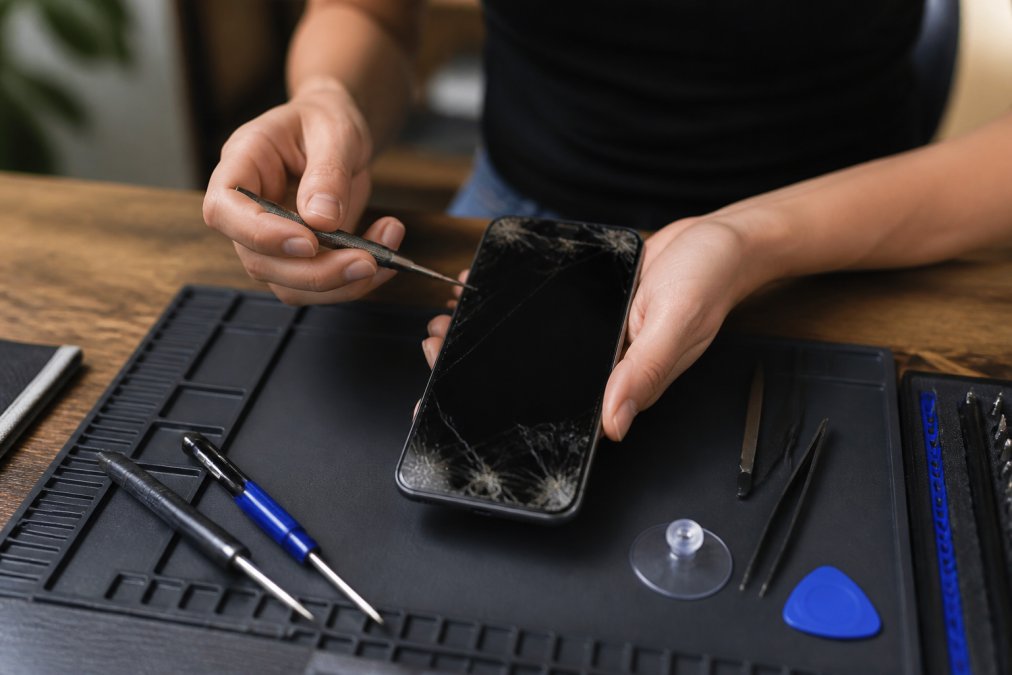
DIY phone screen repair kits have improved significantly and are a legitimate option for technically confident users replacing screens on older or out-of-warranty devices. That said, they come with real risks that most kit marketing glosses over.
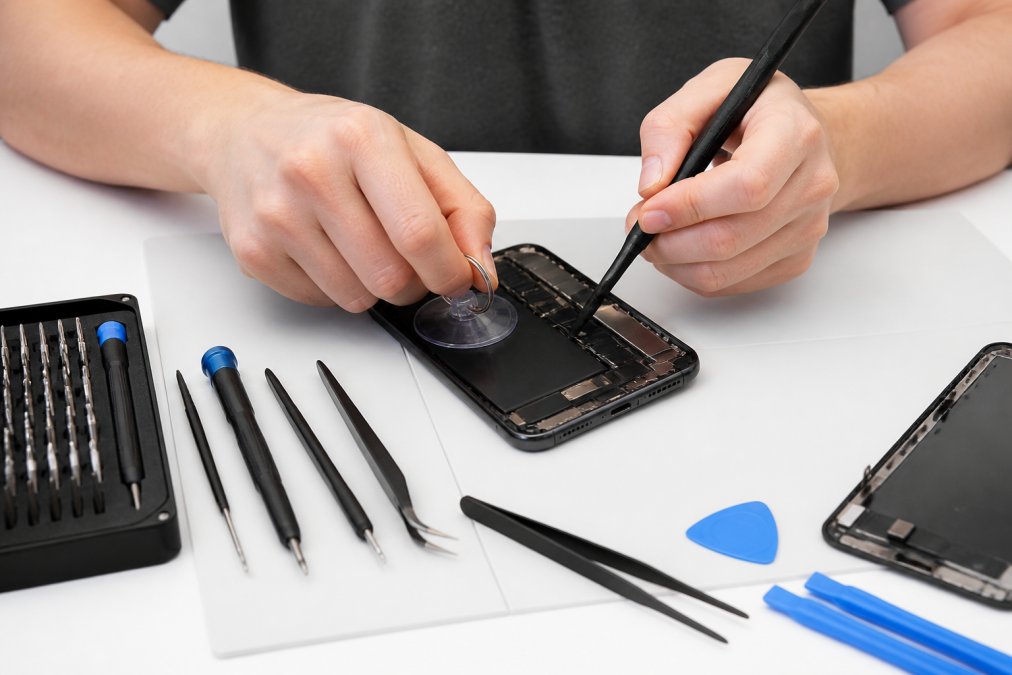
Tools Included and What Each One Does
A quality DIY repair kit typically includes:
Tool | Purpose |
|---|---|
Suction cup | Lifts the screen assembly away from the frame |
Spudger | Pries clips and separates adhesive bonds without metal-on-metal damage |
Isopropyl alcohol | Dissolves adhesive residue and cleans contact surfaces |
Heat gun or heating pad | Softens adhesive around the bezel to allow clean separation |
Precision screwdrivers | Removes the specific screw types used by each manufacturer |
Anti-static wrist strap | Prevents static discharge from damaging the logic board |
The anti-static wrist strap is the tool most DIYers skip. Static discharge during a repair can damage components on the logic board in ways that don’t show up immediately.
When DIY Repair Can Make Things Worse
DIY screen replacement is high-risk on modern flagship devices. Modern phones use liquid adhesive bonding between the screen and frame, not simple clips. Applying too much heat to soften this adhesive can damage the battery, which sits directly beneath the screen in most current designs. Battery damage from heat creates a fire risk that is far more serious than a cracked screen.
Book Consultation/Appointment →
Ribbon cables connecting the screen to the logic board are fragile and short. One slip with a spudger tears the cable, and that repair becomes a microsoldering job.
According to iFixit’s repairability research and device teardowns, many current flagship phones score low on repairability precisely because manufacturers have moved to designs that make DIY repair significantly more difficult without specialized tools.
DIY repair makes the most sense for older devices with clip-based assemblies, phones where the replacement cost is low relative to professional repair fees, and users who have done this specific repair before on the same model.
Cost of Professional Screen Replacement
Professional screen replacement costs vary based on the device model, whether the LCD assembly or just the outer glass needs replacement, and who performs the repair. For current pricing on your specific device, contact a repair provider directly for an accurate quote.
Warranty Coverage and Manufacturer Support
Manufacturer warranty coverage for cracked screens is limited. Standard warranties do not cover accidental damage. That means a cracked screen is out-of-pocket unless you have a separate device insurance plan or purchased AppleCare+ or Samsung Care+.
As documented in Apple’s official warranty and AppleCare+ terms, accidental damage coverage requires an active AppleCare+ plan and carries a service fee per incident.
For devices still under manufacturer warranty, using an unauthorized repair provider can void remaining coverage. Using a WISE Authorized Service Provider or an Apple and Samsung Independent Repair Provider preserves your options in a way that an uncertified shop does not.
A professional diagnostic, ideally a free visual diagnostic, is the right first step before committing to any repair path.
Repair vs. Replace: Trade-In Value and Environmental Impact
Most people frame the repair-versus-replace decision purely as a cost calculation. Two factors rarely make it into the conversation: trade-in value impact and the environmental cost of device replacement.
Trade-in value: A cracked screen dramatically reduces what carriers and trade-in programs will offer for your device. Repairing the screen before trading in often recovers more value than the repair costs.
Environmental impact: According to EPA guidance on electronics and e-waste, extending a device’s life through repair is one of the most effective ways consumers can reduce their contribution to electronic waste. A screen replacement keeps the device’s existing materials in use.
The repair-versus-replace framework should look like this:
- Repair when: the damage is isolated to the screen, the device is less than 3 years old, the repair cost is less than roughly half the device’s replacement cost, or you need the trade-in value
- Replace when: the logic board has secondary damage, the repair cost approaches or exceeds the device’s market value, or the device is so old that parts availability is poor
Many consumers replace devices unnecessarily because they assume screen damage equals total loss. It rarely does.
Protect Your Screen After Fixing a Cracked Phone
Once your cracked phone screen is repaired, the goal is simple: make sure it doesn’t happen again.
Tempered glass screen protector: This is the single most effective protection you can add. A quality tempered glass protector absorbs impact and shatters itself rather than letting force transfer to the phone’s display.
Case with raised bezel: A case that raises the front edge above the screen surface prevents direct glass contact when the phone lands face-down.
Avoid back pocket storage: The majority of screen cracks happen from sitting on a phone in a back pocket. The pressure from body weight creates a flex force the glass isn’t designed to handle.
Handle adhesive carefully during cleaning: When cleaning a repaired screen, avoid getting liquids into the seam between the screen and bezel. Moisture can weaken the adhesive bond over time.
Protection Method | What It Prevents | Effectiveness |
|---|---|---|
Tempered glass protector | Impact absorption, scratch prevention | High for face-down drops |
Case with raised bezel | Direct screen contact on flat surfaces | High for face-down drops |
Avoiding back pocket | Flex stress from body weight | Eliminates a major risk factor |
Liquid adhesive sealant | Micro-crack spreading | Moderate, temporary only |
A cracked phone screen is fixable in most cases, but the outcome depends entirely on acting quickly and making the right call on repair method. Normal Gadgets has completed more than 125,000 device repairs since 2012, with WISE Certified technicians, free visual diagnostics, and turnaround times ranging from 2 to 48 hours for most screen repairs. Our strict privacy policy ensures your personal data stays exactly that: personal. Book a diagnostic appointment with Normal Gadgets and get a clear answer on what your repair actually involves before you spend a dollar.
Frequently Asked Questions
Can a cracked phone screen be fixed without replacing it?
Minor surface cracks sometimes respond to a tempered glass screen protector placed over them, which prevents further spreading and reduces sharp edges. However, if the LCD assembly underneath is damaged — showing pixel discoloration, dark spots, or touch sensitivity failures — no surface fix will restore full function. A proper screen replacement is the only reliable solution for structural damage to the digitizer or LCD layer.
Is it safe to use a phone with a cracked screen?
Using a cracked phone screen carries real risks. Exposed glass shards can cut fingers, especially when swiping. Micro-cracks let moisture and dust into the device, accelerating hardware failure. Ghost touching and digitizer errors become more common as cracks spread. If the break reaches the LCD assembly, you may lose display function entirely. The longer you wait, the more likely secondary damage drives up your repair cost.
How much does professional screen replacement cost?
The cost of professional screen replacement varies based on your device model, the extent of damage, and whether you use an authorized service provider or an independent repair shop. Prices differ significantly between basic Android models and flagship iPhones or Samsung devices. Rather than estimating, get a free diagnostic from a certified repair provider — many shops, including Normal Gadgets, offer free visual diagnostics so you know the exact cost before committing.
Will fixing a cracked screen affect my phone’s trade-in value?
Yes, significantly. Most carrier trade-in programs and resale platforms grade devices on screen condition, and a cracked screen can drop your trade-in offer by a substantial amount — sometimes more than the repair itself costs. Getting the screen professionally replaced before trading in often recovers more value than the repair costs, making it worth pricing out both options before deciding.
This article was written using GrandRanker