Table of Contents
- How Much RAM Do You Need for Gaming in 2026
- DDR4 vs DDR5 for Gaming Performance
- Is Adding More RAM Worth It for Gaming
- Memory Speed, Latency, and Timing Explained
- Dual-Channel Configuration and Motherboard Compatibility
- XMP and EXPO Profiles for Overclocking and Stability
- Physical Clearance, Heat Spreaders, and Aesthetics
- Best RAM Kits for Gaming in 2026
Last Updated: August 29, 2026
How Much RAM Do You Need for Gaming in 2026
The amount of RAM your gaming PC needs depends on what you’re playing and at what resolution. Most gamers overestimate their needs, then blame RAM when the real bottleneck is elsewhere.
Minimum Capacity for 1080p Gaming
For 1080p gaming at 60 fps, 16GB of RAM is the practical minimum in 2026. This covers nearly every AAA title, competitive esports games, and most streaming scenarios without stuttering.
Eight gigabytes can work for older games, but modern engines like Unreal Engine 5 demand more system memory. The real issue with 8GB is that your 1% lows, the worst frame time your system produces during a 99-second window, drop hard when the game needs more memory than available, plummeting from 80 fps to 45 fps and making gameplay feel choppy.
Recommended Capacity for 1440p and 4K Gaming
For 1440p gaming, 32GB of RAM is the sweet spot by 2026. This gives you enough headroom for the game, your operating system, background applications, and Discord or streaming software running simultaneously.
At 4K resolution, 32GB is non-negotiable for stability. The texture data alone for 4K assets consumes more memory, and you’re likely pairing a 4K monitor with a high-end GPU that benefits from sufficient system memory bandwidth.
DDR4 vs DDR5 for Gaming Performance
The choice between DDR4 and DDR5 isn’t about raw speed anymore. It’s about what hardware you’re building around and whether the performance gain justifies the cost premium.
Speed and Bandwidth Differences
DDR5 modules run at higher MT/s (megatransfers per second) than DDR4. A typical DDR5 kit operates at 6000 MT/s or faster, while DDR4 tops out around 4000-4800 MT/s. In actual gaming, this translates to a 5-15% frame rate improvement depending on the title and GPU (peer-reviewed research).
DDR5 also supports higher capacity modules more efficiently. You can buy 48GB or 96GB DDR5 kits more easily than DDR4 equivalents, though for gaming, 32GB remains the practical ceiling for value.
Cost and Motherboard Compatibility
DDR5 requires a DDR5-compatible motherboard. If you’re building a new system with an Intel 13th Gen or newer processor, or an AMD Ryzen 7000 series or newer, DDR5 is the forward-looking choice.
If you’re upgrading an existing DDR4 system, switching to DDR5 means replacing your motherboard and CPU as well. The cost premium for DDR5 kits versus equivalent DDR4 kits is 40-60% (pcpartpicker.com). DDR4 remains viable if your system already has a DDR4 motherboard, as the performance difference won’t matter unless you’re pushing 4K high refresh rate gaming or targeting extreme frame rates in competitive titles.
Is Adding More RAM Worth It for Gaming
The real question isn’t whether more RAM helps, it does. The question is whether it’s your limiting factor right now.
Frame Times and 1% Lows
Adding RAM improves frame time consistency more than it improves average frame rate. If you’re hitting 60 fps average but experiencing stutters or frame time spikes, insufficient RAM is often the culprit.
When you upgrade from 16GB to 32GB, the game has more breathing room for its assets, and your operating system stops competing with the game for memory resources. Your 1% lows improve noticeably. Diminishing returns kick in hard after 32GB for gaming alone, as the game still only uses 20-25GB at most.
Multitasking and Streaming
If you’re streaming while gaming, the math changes. OBS, Twitch encoder processes, and Discord all consume RAM. A streaming setup can easily use 4-6GB on top of the game’s requirements.
In this scenario, 32GB becomes the minimum, and 48GB is more comfortable. For content creators recording gameplay footage, insufficient capacity forces the system to use your storage drive as virtual memory, which is dramatically slower than actual RAM.
Check your actual RAM usage while gaming. Open Task Manager and play your favorite game for 15 minutes. If you’re consistently using more than 85% of your available RAM, an upgrade will help. If you’re using less than 70%, your frame issues are likely elsewhere.
Memory Speed, Latency, and Timing Explained
RAM speed matters less than most people think. Latency matters more. The relationship between the two is what actually affects your gaming performance.
MT/s and Memory Frequency
MT/s stands for megatransfers per second. A DDR5-6000 kit completes 6,000 million transfers per second. A DDR4-3600 kit completes 3,600 million transfers per second.
Higher MT/s is better, but only up to a point. Going from 3600 MT/s to 4800 MT/s DDR4 shows measurable gaming improvements. Going from 6000 MT/s to 7200 MT/s DDR5 shows almost nothing. For gaming specifically, the sweet spot is DDR4 at 3600-4000 MT/s and DDR5 at 6000-6400 MT/s. Anything faster yields diminishing returns.
CAS Latency and Real-World Impact
CAS latency (CL) is the delay between when your system requests data and when the RAM delivers it. Lower CAS latency is better. A CL16 kit has lower latency than a CL20 kit.
A DDR4-3600 CL16 kit and a DDR5-6000 CL30 kit have nearly identical absolute latency in nanoseconds. For gaming, the practical difference between CL16 and CL20 is 1-3 fps in most titles. What matters more is stability and a kit that’s been thoroughly tested by the manufacturer.
The relationship between speed and latency matters more than either specification alone. A balanced kit that pairs reasonable speed with reasonable latency and has been validated by the manufacturer outperforms an extreme kit that pushes one spec to the limit.
Dual-Channel Configuration and Motherboard Compatibility
How your RAM is installed matters as much as what RAM you install. Dual-channel configuration doubles your memory bandwidth and directly improves gaming performance.
Why Dual-Channel Matters
Dual-channel means your RAM modules are installed in matched pairs on separate memory channels. The performance difference between single-channel and dual-channel is 10-25% in gaming, depending on the title (peer-reviewed research).
Installing a single 32GB module instead of two 16GB modules cuts your bandwidth in half. Always buy RAM in kits and install them in the correct slots for dual-channel operation. Check your motherboard manual to confirm which slots activate dual-channel mode.
Socket Compatibility and Memory Controller
Your CPU’s memory controller determines which RAM speeds and timings your system can reliably run. AMD Ryzen systems can often run faster memory speeds more stably than Intel systems with the same generation processor.
Socket compatibility is straightforward: DDR4 RAM fits only in DDR4 slots, and DDR5 RAM fits only in DDR5 slots. Check your motherboard and CPU specifications before buying. Some older DDR4 systems officially support only up to 3200 MT/s, and running faster RAM requires manual BIOS configuration. competitive gaming headsets.
Book Consultation/Appointment →
XMP and EXPO Profiles for Overclocking and Stability
XMP and EXPO are profiles stored on your RAM that tell your BIOS exactly how to run the memory at its rated specifications. They’re the manufacturer’s validated settings for that specific kit.
Enabling XMP in BIOS
XMP (Intel XMP 2.0 and XMP 3.0) works on Intel systems. EXPO (AMD EXPO) works on AMD Ryzen systems. To enable XMP or EXPO, restart your computer and enter BIOS setup (usually by pressing Delete or F2 during startup). Look for a memory settings section, often labeled "Overclocking" or "Advanced," find the XMP or EXPO option, and enable it.
Most modern systems enable XMP without issues. Compatibility problems are rare but do happen, particularly with older motherboards paired with newer high-speed RAM kits.
Troubleshooting Memory Stability Issues
If your system crashes, freezes, or shows corrupted data after enabling XMP, your memory isn’t stable at those settings. Disable XMP and reboot. Then re-enable XMP and stress-test your memory using MemTest86 (free, bootable) or Prime95 (free, runs in Windows) for 30 minutes to several hours.
If errors appear, lower the voltage slightly. XMP profiles sometimes run at the edge of stability. Reducing voltage by 0.05V often improves stability without sacrificing speed. If that doesn’t work, manually reduce the memory frequency by 100-200 MT/s and test again. If you’re experiencing persistent crashes or data corruption issues that you can’t resolve through BIOS adjustments, Laptop/PC Repair services can help diagnose whether the problem is truly a memory stability issue or something else entirely.
Unstable memory causes intermittent crashes and data corruption that are extremely difficult to diagnose. Always stress-test after changing memory settings, and keep notes on what worked and what didn’t.
Physical Clearance, Heat Spreaders, and Aesthetics
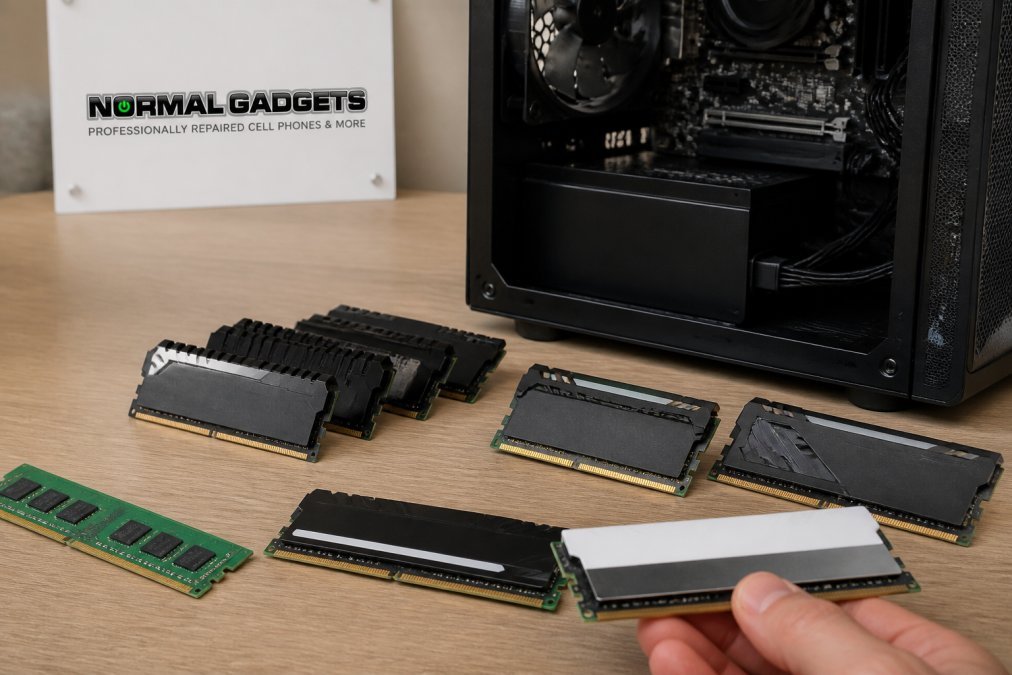
RAM height and heat spreader design matter more than most guides acknowledge. A kit that’s technically compatible with your motherboard might physically conflict with your CPU cooler.
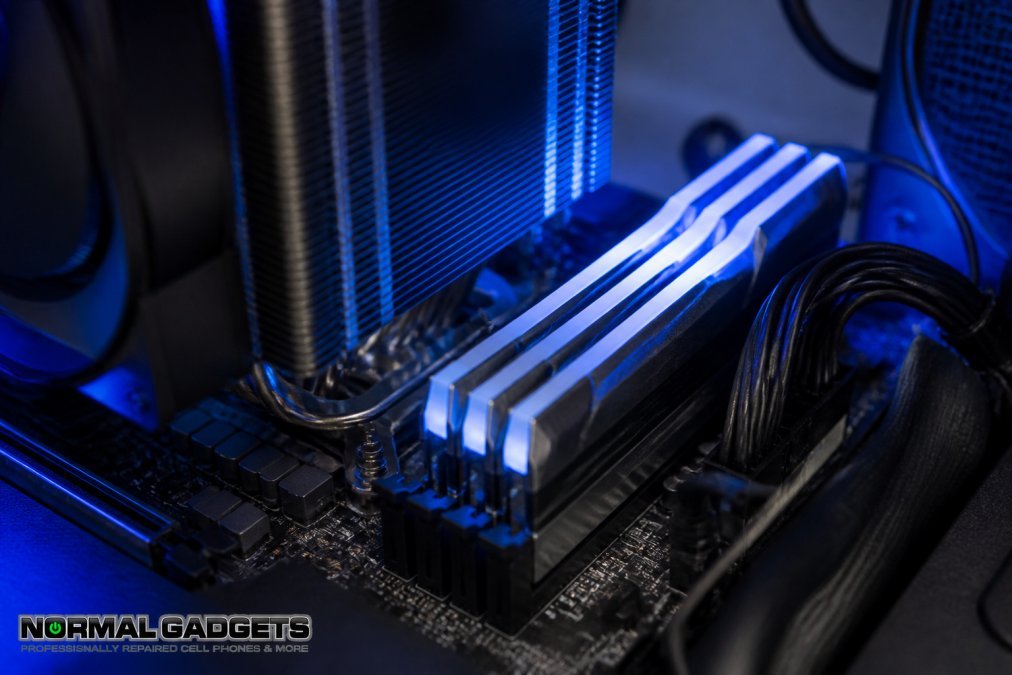
Most modern CPU coolers are tall and can reach 160mm or taller. Some RAM modules with tall heat spreaders and RGB lighting reach 50mm in height. When you install the cooler, it can contact the RAM and prevent proper seating.
Measure your cooler’s clearance before buying RAM. Low-profile RAM modules exist specifically to solve this problem. Corsair Vengeance RGB Pro SL modules are 44mm tall, significantly shorter than standard modules. Heat spreader design affects both cooling and aesthetics, though the performance difference is negligible for gaming.
Best RAM Kits for Gaming in 2026
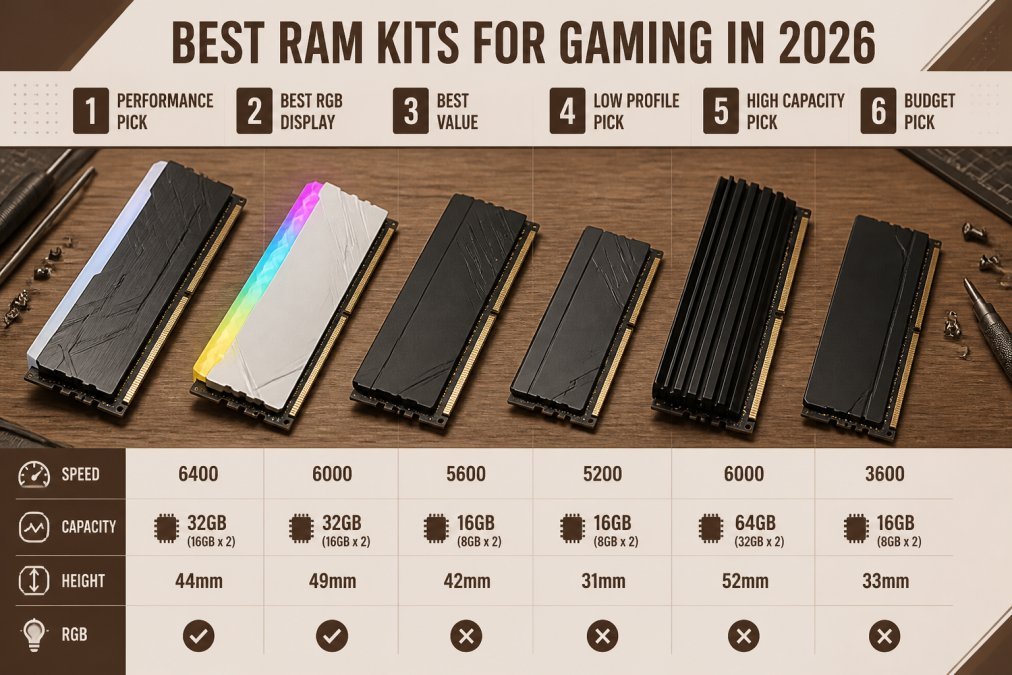
Choosing the best RAM for gaming means matching your budget, platform, and use case to the right kit.
Top DDR5 Choices for High-End Gaming
If you’re building a new high-end system with a modern Intel or AMD processor, DDR5 is the right choice.
G.Skill Trident Z5 RGB is the performance leader for DDR5. These kits reach speeds up to 8000 MT/s, though the 6000-6400 MT/s variants offer the best balance of speed and stability. G.Skill kits are well-validated across most motherboards.
Kingston Fury Beast DDR5 RGB delivers strong performance at a lower price point. These kits run stable at 6000 MT/s with reasonable CAS latency and broad compatibility.
TeamGroup T-Force Delta RGB DDR5 offers excellent value at 6000 MT/s with CL30 timing. Compatibility has been strong across recent motherboards.
For most gamers building new DDR5 systems, Kingston Fury Beast or TeamGroup T-Force Delta is the smart choice. G.Skill Trident Z5 is the choice if you want the absolute fastest kit.
Best Value DDR4 Kits Still Worth Considering
DDR4 isn’t dead for gaming. If you’re upgrading an existing DDR4 system or building a budget rig, quality DDR4 kits still make sense.
Corsair Vengeance RGB Pro SL remains one of the best DDR4 options. The 44mm height makes it compatible with virtually every CPU cooler. Performance at 3600 MT/s is solid, and RGB lighting is excellent.
Crucial Ballistix MAX RGB DDR4 is built for overclocking. If you want to push your DDR4 system to its limits, Crucial’s high-quality Micron die and temperature sensors give you the tools.
Patriot Viper Steel RGB offers balanced performance and value. These kits run stably at 3200-3600 MHz depending on the specific model.
For DDR4 gaming, Corsair Vengeance RGB Pro SL is the top pick if cooler clearance matters. Crucial Ballistix MAX is the choice if you want overclocking headroom. Patriot Viper Steel offers the best value for straightforward gaming performance.
Gamers upgrading existing DDR4 systems or building budget-conscious rigs where a full platform upgrade to DDR5 isn’t justified. DDR4 kits deliver reliable gaming performance at lower cost than DDR5 equivalents.
Choosing the best RAM for gaming requires balancing capacity, speed, and compatibility with your specific hardware. Most gamers need 32GB of DDR5 or DDR4 running in dual-channel configuration with XMP or EXPO enabled. The difference between a $100 kit and a $250 kit is often RGB lighting and aesthetics, not gaming performance. If your system is stuttering or crashing, check your RAM stability through BIOS settings and stress testing before assuming you need an upgrade. When your gaming rig does need repair, whether it’s a failed RAM module, a corrupted BIOS, or a more complex hardware issue, Laptop/PC Repair services can help diagnose and fix it. Our technicians handle advanced motherboard repairs and system diagnostics.
Frequently Asked Questions
Is 32GB of RAM overkill for gaming?
For most gaming in 2026, 16GB remains the standard. However, 32GB becomes valuable if you stream, record gameplay, run multiple applications simultaneously, or play AAA titles at maximum settings while multitasking. If your budget allows and you plan to keep your system for several years, 32GB provides headroom for future games and workloads without bottlenecking your GPU. It's not overkill for serious gamers, but it's unnecessary if gaming is your only use case.
Does RAM speed matter more than capacity for gaming?
Capacity matters more than speed for gaming. Having enough RAM prevents stuttering and system slowdowns; insufficient capacity forces your system to use slower storage. That said, speed does affect frame times and 1% lows, especially with DDR5. For gaming, prioritize reaching 16GB capacity first, then choose faster memory if your budget allows. A 16GB DDR5-6000 kit outperforms 32GB DDR4-3200, but 16GB DDR4-3600 is often better than 8GB DDR5 at extreme speeds.
What is the difference between DDR4 and DDR5 for gaming?
DDR5 offers higher bandwidth and faster MT/s speeds, delivering smoother frame times in demanding AAA titles, particularly at high refresh rates. DDR4 remains capable for 1080p and 1440p gaming at 60-144Hz. DDR5 requires newer motherboards and CPUs, making it more expensive upfront. For pure gaming performance, DDR5 is superior, but DDR4 systems remain competitive. Choose DDR5 if building new; DDR4 is still viable if upgrading an existing system.
Can I mix and match different RAM brands?
Mixing brands is possible but not recommended. RAM from different manufacturers may have different timings, voltage, or heat spreader designs that cause compatibility issues or system instability. If you must add RAM, buy the same kit model or verify compatibility with your motherboard's QVL (Qualified Vendor List). For best results, purchase matched dual-channel kits from a single brand and speed to ensure stability and optimal performance.