Table of Contents
- Repair vs. Replace: A Cost-Benefit Analysis
- Average Smartphone Repair Cost by Damage Type
- When to Upgrade Your Phone Instead of Fixing It
- Smartphone Diagnostic Services: What to Expect
- Phone Repair Turnaround Time and Hidden Switching Costs
- Environmental Impact: E-Waste, Sustainability, and Device Longevity
- Which Option Is Right for You? A Decision Framework
- Conclusion
Last Updated: August 28, 2026
Repair vs. Replace: A Cost-Benefit Analysis
The smartphone repair vs buying new phone decision is one most people get wrong, not because they lack information, but because they’re comparing the wrong variables. At Normal Gadgets, we’ve worked through this calculation with thousands of customers since 2012, and the pattern is consistent: most people overestimate the cost of repair and underestimate the true cost of replacement.
The core question isn’t “how much does the repair cost?” It’s “how much does the repair cost relative to what I’d actually spend on a replacement?” That reframing changes the answer most of the time.
The 50% Rule and Total Cost of Ownership
The 50% rule is a practical starting point for any repair vs. replace decision: if the cost to repair your device exceeds 50% of its current market replacement value, replacing it generally makes more financial sense. If repair costs fall below that threshold, fixing it is usually the better call.
Replacing a smartphone carries hidden costs beyond the sticker price. Accessories, cases, screen protectors, and chargers often need repurchasing. Data migration takes time and sometimes money. Trade-in values depreciate quickly, and devices older than two years have minimal resale value. New device activation fees, potential carrier contract changes, and learning a new operating system all add friction that repair avoids.
Repair extends the device lifecycle you’ve already invested in. Your data stays in place, app configurations remain intact, and personalized settings are preserved. For most common damage types, professional repair restores full functionality at a fraction of replacement cost.
Pros and Cons of Repairing vs. Buying New
Factor | Repair | Buy New |
|---|---|---|
Upfront cost | Lower for most damage types | Higher (full device price) |
Data continuity | Seamless | Requires migration |
Software support | Depends on device age | Full lifecycle ahead |
Environmental impact | Lower e-waste | Higher resource use |
Accessories | Existing accessories still work | Often need replacements |
Performance | Restored to pre-damage state | Latest hardware improvements |
Resale value | Modest improvement | Higher initial, depreciates fast |
Turnaround time | Hours to days | Immediate (in-store purchase) |
Repair pros: Lower cost, no data migration, environmentally responsible, extends device longevity.
Repair cons: Doesn’t address underlying obsolescence, no hardware upgrades, may not resolve software support gaps.
Buy new pros: Latest hardware and software, full manufacturer warranty, fresh device protection plan options.
Buy new cons: High upfront cost, data migration friction, accessory replacement, faster depreciation.
Average Smartphone Repair Cost by Damage Type
Smartphone repair costs vary significantly depending on the device model, the type of damage, and whether you choose an authorized repair provider or an independent shop. The best approach is always to get a diagnostic assessment before committing to either path.
Screen Replacement, Battery Degradation, and Water Damage
Screen replacement is the most common smartphone repair. Cracked screens are straightforward repairs when handled by a certified technician. Cost varies by device model and screen technology, but screen replacement typically remains well below the 50% threshold, making repair the clear winner.
Battery degradation is subtler. Most users don’t notice gradual decline until the phone shuts down at 30% charge or fails to last through a workday. Battery replacement is typically one of the most affordable repairs available, with immediate performance improvement. According to Apple’s battery service documentation, lithium-ion batteries are designed to retain up to 80% of their original capacity at 500 complete charge cycles; past that point, replacement is worth prioritizing before any buy-new decision.
Water damage is the most unpredictable repair scenario. The outcome depends on how quickly the device was brought in, how deeply water penetrated components, and whether corrosion has already set in. Diagnostic testing is essential; there’s no reliable way to assess water damage without opening the device. Liquid-damaged devices typically carry no warranty even after successful repair.
When to Upgrade Your Phone Instead of Fixing It
Repair wins on cost most of the time. But specific situations exist where buying new is the genuinely smarter choice.
Software Support, Security Patches, and Planned Obsolescence
Software lifecycle analysis is often the deciding factor that repair-vs-replace guides skip entirely.
Every smartphone has a defined software support window. Once a device falls out of that window, it stops receiving security patches and operating system updates. An unpatched phone is a liability, particularly for anyone using their device for work, banking, or accessing sensitive data.
As documented in CISA’s mobile device security guidance, unpatched mobile devices represent one of the most common entry points for credential theft and data breaches. If your device is approaching or past its end-of-support date, repairing it extends the life of hardware that’s already a security risk.
The practical rule: check your device’s official end-of-support date before authorizing any repair. If you’re within six months of that cutoff, the repair math changes significantly regardless of the physical damage cost.
Signs Your Phone Is Beyond Repair
Some devices have reached the point where repair isn’t viable, regardless of cost:
- Severe motherboard damage or component failure exceeding the device’s replacement value
- Multiple hardware systems failing simultaneously (charging port, screen, and camera)
- Device more than five years old with no operating system updates
- Repair estimates consistently approaching or exceeding the 50% threshold
- Repeated liquid damage with progressive corrosion
A free diagnostic assessment is the fastest way to determine which category your device falls into.
Smartphone Diagnostic Services: What to Expect
Smartphone diagnostic services are the first step in any honest repair conversation. A proper diagnostic tells you exactly what’s wrong, what it will cost to fix, and whether repair is worth pursuing.
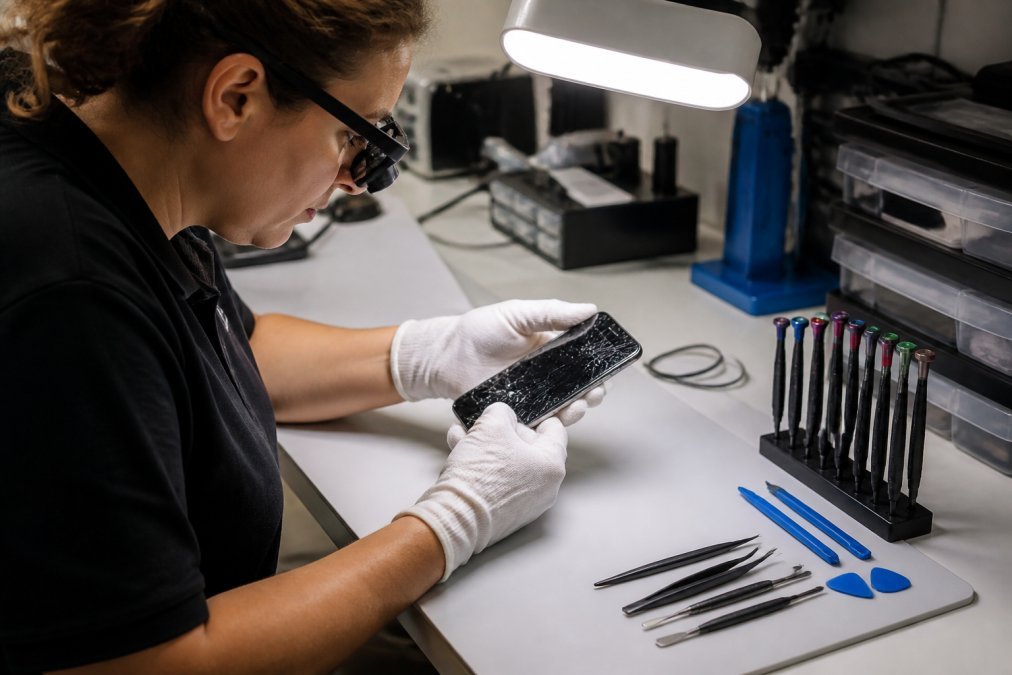
At Normal Gadgets, the diagnostic process starts with a free visual inspection. Technicians examine the device externally and, where necessary, open it to assess internal component condition. You receive a clear assessment of the damage and a repair estimate before any work begins with no obligation to proceed. choosing long-lasting gadgets.
What a thorough diagnostic covers:
Book Consultation/Appointment →
- Screen and display integrity assessment
- Battery health and charge cycle evaluation
- Camera and sensor functionality testing
- Charging port and connector inspection
- Water or liquid damage detection
- Motherboard and component-level evaluation
- Software and operating system status check
The diagnostic also surfaces problems you didn’t know existed. Many devices brought in for a cracked screen have secondary issues, and catching those early prevents a repaired phone from failing again shortly after.
Phone Repair Turnaround Time and Hidden Switching Costs
Most common repairs, including screen replacements and battery swaps, are completed within two to 48 hours by a certified shop. Complex repairs, particularly motherboard-level work, take longer.
The hidden cost rarely entering the repair vs. replace calculation is the switching cost of buying new. Data migration is time-consuming and occasionally incomplete. Contacts, app data, two-factor authentication configurations, and locally stored files all require careful handling. Cloud backups help, but they don’t capture everything.
The FTC’s consumer guide to data backup and device switching recommends verifying backups before any device transition, a step most people skip until it’s too late.
Insurance and warranty considerations add another layer. If your device is covered under a manufacturer warranty or third-party device protection plan, the repair may cost significantly less than the out-of-pocket estimate suggests. Manufacturer warranties typically cover defects but exclude accidental damage. Device protection plans often cover screen damage and water damage for a deductible rather than full repair cost.
Check your coverage status before paying full repair price. Out-of-warranty repairs from a certified independent repair provider are often the most cost-effective path for accidental damage. Normal Gadgets operates as both an Apple and Samsung Independent Repair Provider, which means repairs meet manufacturer-recognized standards without the manufacturer’s service center pricing.
Environmental Impact: E-Waste, Sustainability, and Device Longevity
Frequent smartphone replacement is one of the largest contributors to the global e-waste problem.
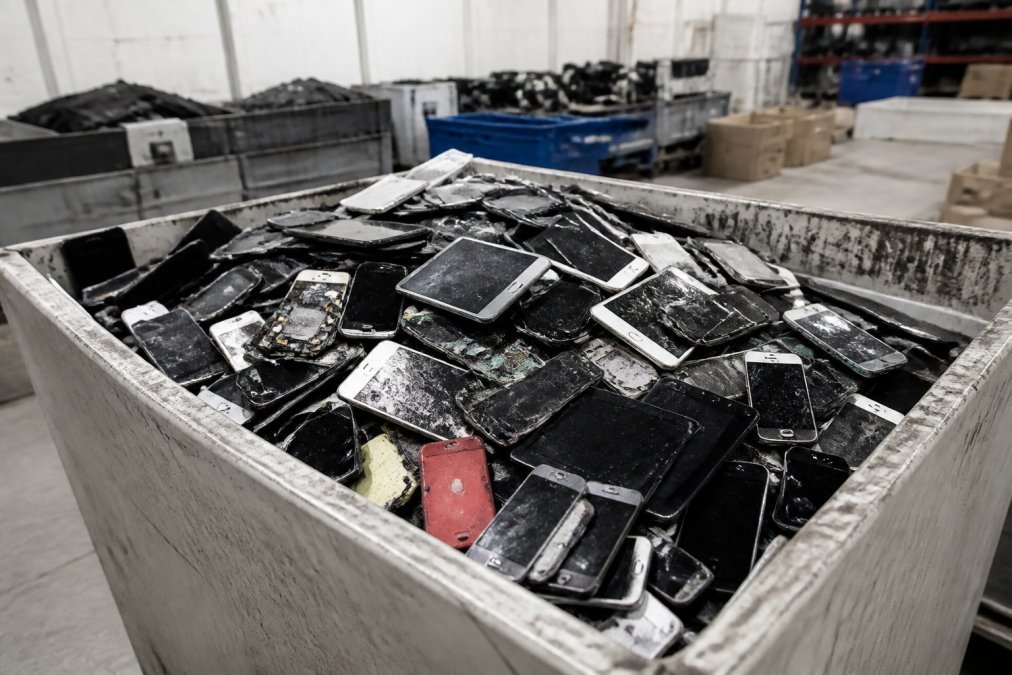
According to the EPA’s overview of electronics recycling and e-waste, electronic waste is one of the fastest-growing waste streams in the country. Smartphones contain materials including lead, mercury, and cadmium that require careful handling to prevent soil and groundwater contamination. Most discarded devices don’t reach certified recycling facilities.
Extending device longevity through repair directly reduces e-waste. A phone repaired and used for an additional two years is a phone that didn’t enter the waste stream. Multiply that across a household or business fleet, and the sustainability impact becomes meaningful.
Sustainable consumption intersects with repairability scores, a metric rating how easily a device can be repaired. Devices with higher repairability scores have more accessible components, more available parts, and lower repair costs. Choosing repairable devices at purchase time and then actually repairing them closes the loop on sustainable device lifecycle management.
Which Option Is Right for You? A Decision Framework
The smartphone repair vs buying new phone decision comes down to four variables: damage severity, device age, software support status, and total replacement cost.
Step 1: Get a professional diagnostic. Don’t estimate repair costs from online forums. A real assessment is the only reliable starting point.
Step 2: Apply the 50% rule. If repair cost exceeds 50% of your device’s current market value, replacement deserves serious consideration. If it falls below that threshold, repair almost always wins on cost.
Step 3: Check your software support window. If your device is within six months of its end-of-support date, factor the security risk into the equation.
Step 4: Account for switching costs. Add up the realistic cost of data migration, accessory replacement, and your time.
Step 5: Review your coverage. Check manufacturer warranty status and any active device protection plan before paying out of pocket.
Scenario | Recommended Action |
|---|---|
Screen cracked, phone otherwise functional | Repair |
Battery won’t hold charge, phone under 4 years old | Repair |
Water damage, phone brought in within 24 hours | Diagnostic first |
Phone past end-of-software-support date | Consider replacement |
Repair cost exceeds 50% of device value | Replace or refurbished |
Multiple simultaneous hardware failures | Replace |
Device under active warranty or protection plan | Use coverage first |
Phone under 2 years old with single damage type | Repair |
Most people who work through this framework find that repair is the right call more often than they expected.
Deciding between smartphone repair and buying new shouldn’t be a guess. The answer is almost always in the diagnostic. Normal Gadgets offers a free visual diagnostic with no obligation to proceed, performed by WISE Certified technicians who are also Apple and Samsung Independent Repair Providers. With more than 125,000 devices repaired since 2012 and a strict privacy policy protecting your personal data throughout the process, the assessment you get is honest, not sales-driven. Book your appointment at https://normalgadgets.com/appointment-booking/ and know exactly where you stand before spending a dollar.
Frequently Asked Questions
Is it cheaper to repair a smartphone or buy a new one?
Repair is almost always cheaper for common issues like cracked screens or battery degradation, where the fix costs a fraction of a replacement device. The calculation shifts when repair costs approach or exceed 50% of the phone's current market value, or when the device no longer receives operating system updates. A free diagnostic from a certified shop gives you a concrete number to compare against new or refurbished device prices before you commit.
How do I know if my phone is beyond repair?
Multiple simultaneous hardware failures, severe motherboard damage, or a device that has lost manufacturer software support are the clearest signals. If the phone's operating system can no longer receive security patches, repairing the hardware still leaves you running outdated software with known vulnerabilities. A diagnostic from a certified technician can identify component failures and tell you whether the repair is technically feasible and financially worth pursuing.
Does repairing a phone affect its resale value?
A professional repair using quality parts typically preserves or improves resale value compared to selling a broken device. Authorized or certified repairs are especially credible to buyers. DIY repairs or low-quality parts can reduce resale value if the work is visible or causes secondary issues. Keeping documentation of any professional repair, including the warranty on parts and labor, gives future buyers confidence in the device's condition.
Are there environmental benefits to repairing a smartphone instead of replacing it?
Yes. Manufacturing a new smartphone generates significant carbon emissions and consumes rare materials. Extending a device's life through repair reduces demand for new production and keeps electronics out of the waste stream longer. E-waste is one of the fastest-growing waste categories in the United States. Choosing repair over replacement is one of the most direct ways an individual consumer can reduce their personal electronics footprint.
How long does a typical smartphone repair take?
Most common repairs, including screen replacements and battery swaps, are completed within two hours at a well-staffed certified shop. More complex issues involving water damage, motherboard repair, or microsoldering can take up to 48 hours. Availability of parts for your specific model is the biggest variable. Asking about parts availability when you book your diagnostic appointment helps you plan around the repair rather than being caught off guard by the turnaround time.